
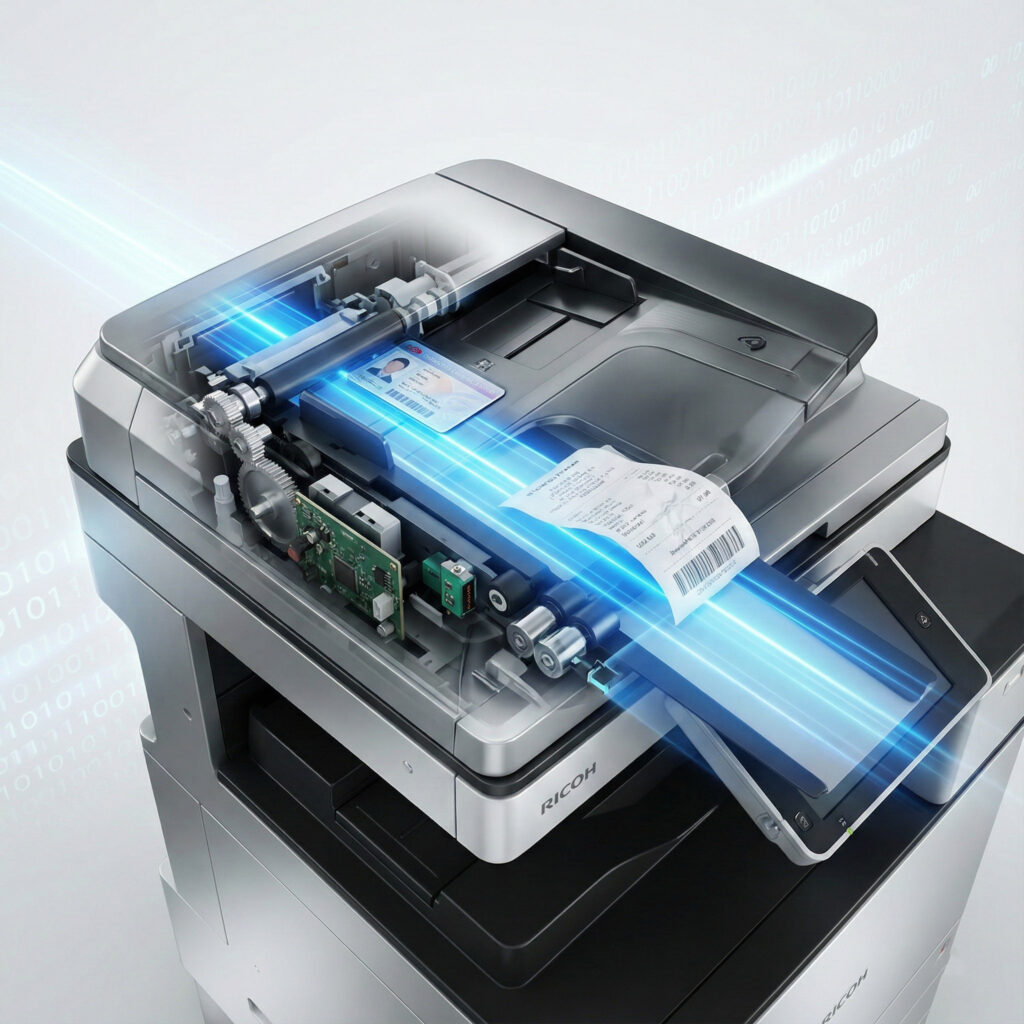
If you work in a busy office in Lusaka, you know the sound. It is the most frustrating sound in the corporate world: the “crunch” of a paper jam.
You are trying to scan a stack of documents. Maybe it is a pile of thin, flimsy carbonless delivery notes for Finance. Maybe it is a thick plastic ID card for HR. You feed it into the machine, press “Scan,” and the machine chokes.
For businesses using the new Ricoh SD Series Zambia, this frustration is a thing of the past. But for everyone else, this “hidden tax” on your time is a daily reality.
In this post, we explain why traditional scanners fail and how the Ricoh SD Series Zambia uses revolutionary technology to fix it.
The Problem: The “U-Turn” Trap
The reason your current multifunction printer (MFP) jams on receipts and ID cards is simple physics.
Most standard scanners use a “U-Turn” paper path. The paper is pulled in, forced to bend 180 degrees around a roller, and then spat out.
- Standard Paper: Can handle the bend.
- Carbonless Paper (Receipts/Invoices): Is too thin. It crinkles and jams in the turn.
- Plastic Cards (IDs/Licenses): Are too stiff. They cannot bend, so they get stuck.
Until now, the only solution was to buy a separate, expensive dedicated desktop scanner.
Why the Ricoh SD Series Zambia is the Solution
We are proud to introduce the Ricoh SD Series Zambia market’s first true “problem-solver” MFP. This includes the IM C3510SD, IM C4510SD, and IM C6010SD.
These aren’t just printers; they are the first MFPs to integrate Straight Paper Path Technology. Instead of forcing the paper to bend, the Ricoh SD Series Zambia allows documents to pass through the feeder in a straight line.
Here are 3 ways this technology changes your workflow:
1. Scan “Un-Scannable” Carbonless Paper
Finance teams can now take a stack of thin, fragile carbonless invoices or delivery notes and feed them directly into the machine. No taping them to A4 paper. No jams. The Ricoh SD Series Zambia treats delicate paper with the care it deserves.
2. Scan Plastic ID Cards Directly
HR teams can finally stop photocopying IDs. The Ricoh SD Series Zambia can scan plastic driver’s licenses, NRCs, and employee badges directly through the feeder—even in a mixed stack with paper documents. This is a massive time-saver for onboarding.
3. Let AI Fix the Rest
The Ricoh SD Series Zambia doesn’t just feed paper better; it sees better. It uses on-board AI to automatically correct common errors:
- AI Auto-Rotation: Did you put the invoice in upside down? The scanner reads the text and flips the digital image to be right-side up.
- Skew Correction: Did the receipt go in crooked? The AI straightens the final PDF automatically.
According to global data from Ricoh Global, advanced paper handling is the single biggest factor in office productivity efficiency.
The Perfect Partner for DocuWare
If you are using DocuWare to automate your Accounts Payable or HR files, you know that “Garbage In = Garbage Out.” A bad scan breaks the automation.
The Ricoh SD Series Zambia is the ideal hardware partner for your digital workflow. By feeding perfect, un-jammed, straightened images into DocuWare, you ensure your automated workflows run without a hitch.
Stop Battling Your Scanner Today
Scanning shouldn’t be a fight. If your team is wasting hours taping receipts or un-jamming machines, it is time for an upgrade.
The Ricoh SD Series Zambia represents the future of office efficiency. Don’t let old technology slow you down.
Contact us today to bring your toughest documents to our showroom and see the Straight Paper Path in action.